We use cookies to make your experience better. To comply with the new e-Privacy directive, we need to ask for your consent to set the cookies. Learn more.

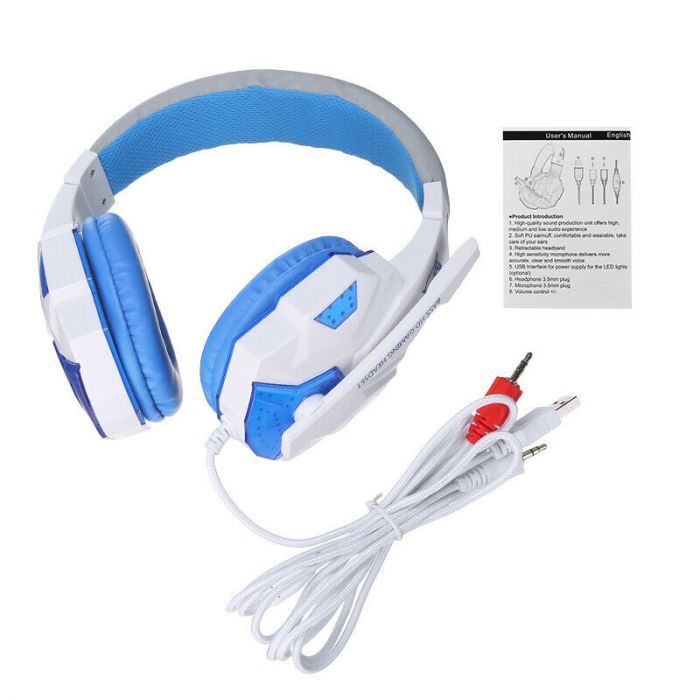
Gaming Wired Headset With Microphone For Pc, Stereo
$25.99
In stock
Only %1 left
SKU
WHC-124447967057
FEATURES: MICROPHONE, ADJUSTABLE HEADBAND, MICROPHONE MUTE BUTTON, NOISE ISOLATION, PLAYBACK CONTROLS, STEREO, SURROUND SOUND, VOLUME CONTROL BREATHING LED LIGHTING EFFECT, 7 COLORS AUTOMATICALLY CHANGE, ENHANCE THE GAME ATMOSPHERE. UNIQUE, EYE-CATCHING, SHARP APPEARANCE, WITH MANY GAME ELEMENTS. [FOLDABLE MICROPHONE] THE ADJUSTABLE MICROPHONE CAN BE FIXED AT A PERFECT ANGLE AND CAN BE FOLDED UP WHEN NOT IN USE. THE UPGRADED MICROPHONE USES ADVANCED NOISE REDUCTION TECHNOLOGY TO REDUCE NOISE AND ENSURE CLEAR VOICE COLLECTION AND TRANSMISSION.
Notes: -Pc Headset* Please Use A 1-To-2 3.5Mm Jack Splitter Cable. If Your Desktop Has Separate Audio And Microphone Interfaces, Please Use The 1-To-2 3.5Mm Jack Splitter Cable (Included) With The Headset If You Want To Use The Headset And Microphone At The Same Time, Please Plug Them Into The Pc. -Ps4 Headset* Insert The Headset Plug Into The Gamepad → Long Press The Ps4 Button To Enter The System Settings → Select "Peripheral Devices", "Adjust Sound And Devices", "Output To Headphones", "All Audio". -Xbox One Headset* If Your Xbox One Controller Has A 3.5Mm Audio Interface, You Can Use This Headset Directly. Otherwise, You Will Need A MICROSOFT Adapter (Not Included) And Connect The Headset To The Adapter. Twisted-Pair Nylon Braided Wire, Three Layers Of Leather, Triple Protection, More Durable. Adjust Freely, Fit Tightly, And Adjust To The Most Suitable Size.
No datasheet is available for this product yet.
Write Your Own Review